A customer finishes a meal, treatment, class, or online order. You ask for a review, and the customer agrees. Hours later, no review appears.
The customer did not forget the experience. The review process demanded too much effort.
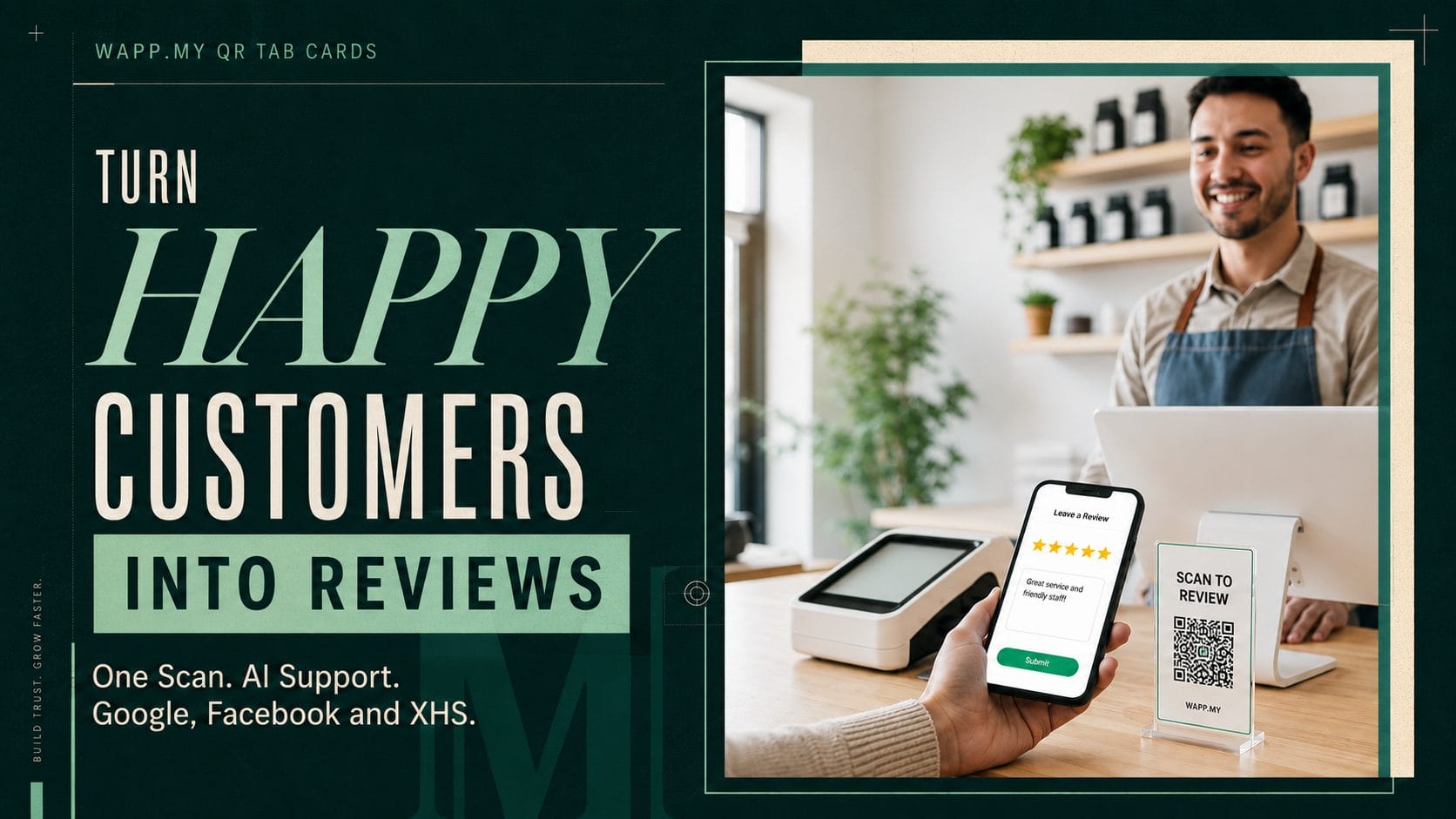
The WAPP.MY Google, Facebook and XHS AI Review Tap Card connects a physical QR Tab Card with Bio Links and AI review writing support. Customers scan the code, choose a platform, describe their experience, and prepare an authentic review.
What Is the WAPP.MY Tab Card?
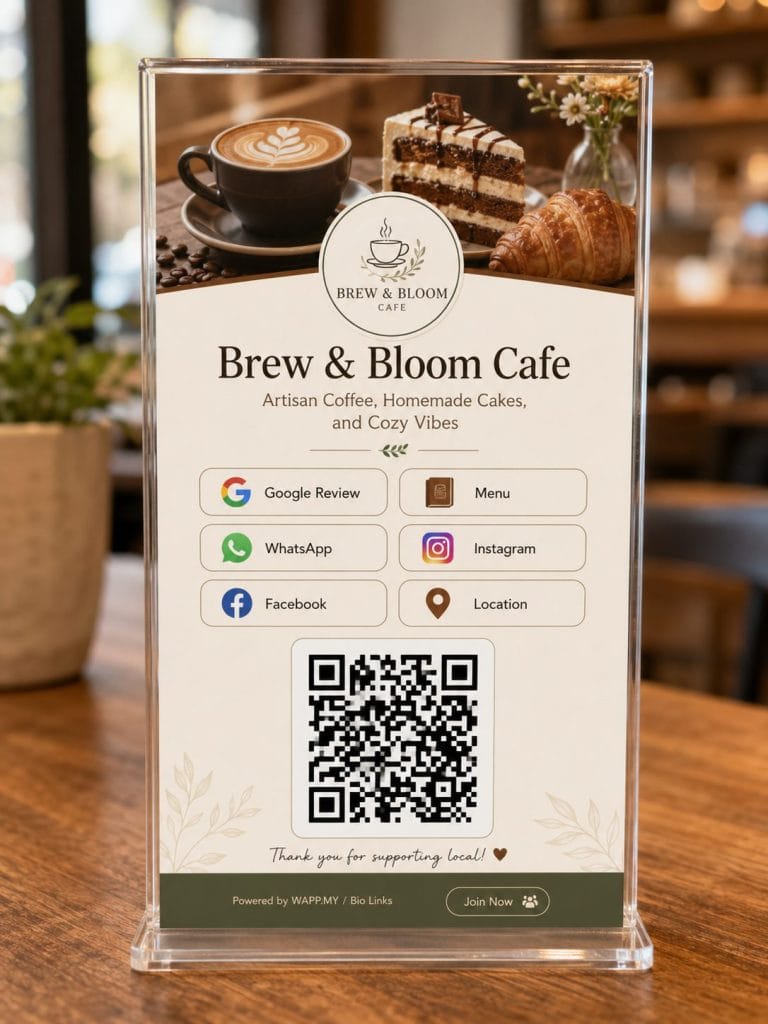
The WAPP.MY Tab Card is a QR table card, counter sign, sticker, or packaging label linked to your WAPP.MY Bio Links page. One scan opens your business links and review channels.
The page brings several actions together:
- Contact the business through WhatsApp.
- View social media and business information.
- Choose Google, Facebook, or Xiaohongshu reviews.
- Receive AI writing support based on a genuine experience.
WAPP.MY supplies a PNG or PDF design for printing as a card or label.
How the WAPP.MY AI Review Flow Works
The system turns a physical customer moment into a guided digital journey.
1. Scan the Tab Card
The customer points a phone camera at the QR code. The WAPP.MY Bio Links page opens without a separate scanning app.
2. Select a Review Platform
The customer chooses Google, Facebook, or XHS. Each channel follows a platform focused review journey.
3. Share Experience Details
The AI assistant asks short questions about the product, service, staff, or visit. These answers give the draft specific and useful details.
4. Review and Publish
AI prepares the wording. The customer reads the draft, changes any detail, and controls publication. The final review should reflect the customer’s own views.
WAPP.MY uses two AI engines for generation and automatic refill. When one option gets used, the system prepares another.
Three Review Platforms in One QR Code
Many QR review cards point only to Google. WAPP.MY supports three channels from one Bio Links page.
AI Google Reviews
Customers answer short prompts about what they enjoyed. AI organizes their answers into a natural draft. The customer checks the wording before moving to the Google review page.
Google reviews support trust when customers compare local businesses. Review quantity, rating, recency, and detailed comments also support local presence.
AI Facebook Reviews
WAPP.MY directs mobile users toward the Facebook app review flow. This reduces the friction caused by mobile browser pages and keeps the review journey familiar for active Facebook users.
Facebook recommendations support credibility for businesses with active local communities.
AI Xiaohongshu Reviews
The XHS flow helps customers prepare Xiaohongshu style notes with captions, emojis, suggested tags, and relevant descriptive words. WAPP.MY also checks sensitive and restricted wording before publication.
This feature serves Malaysian brands reaching Chinese speaking consumers through lifestyle content and social commerce.
Where to Place WAPP.MY Tab Cards
Place each card where the customer pauses after receiving value.
Restaurants and Cafes
Use dining tables and payment counters. Add QR labels to takeaway packaging. Ask after the meal.
Training Centres and Education Providers
Place cards at reception and classroom exits. Parents and students then share experiences about teachers, facilities, and programmes.
Salons and Spas
Use reception desks and mirrors. Ask after the customer sees the result.
Retail and Ecommerce
Place cards at checkout counters. Add labels to parcels, receipts, and invoices. The same code also opens WhatsApp and social links.
Corporate and Business Services
Use meeting rooms, front desks, and completion documents. Request feedback after delivery or a project milestone.
How to Set Up the WAPP.MY Review System
Follow these steps for each location:
- Create a WAPP.MY account.
- Open Bio Links and add your logo, cover image, and business details.
- Add Google, Facebook, and XHS review destinations.
- Configure the required business links and review keywords.
- Download the QR design as a PNG or PDF.
- Print the Tab Card or QR labels.
- Test every link before placing the design in front of customers.
Give each branch the correct profile and review destination. Separate links prevent reviews for the wrong location.
Track Review Activity and Improve Placement
WAPP.MY analytics show Bio Links clicks and activity. Track scans, platform clicks, review growth, ratings, and common themes.
Compare counters, tables, parcels, and branches. Keep strong placements. Move weak cards closer to checkout, completion, or delivery.
Keep Every Review Authentic
AI should help customers express real experiences. AI should not invent visits, services, staff interactions, or product results. The customer must read and approve every draft.
Ask customers consistently. Do not demand a positive rating or prevent critical feedback. Authentic reviews protect long term trust
Why Choose WAPP.MY Over a Standard Review QR Code?
A standard review QR code sends customers to one review page. WAPP.MY creates a complete review journey through Tab Cards, Bio Links, AI writing support, multiple platforms, and activity tracking.
| Feature | Standard Review QR Code | WAPP.MY Tab Card |
| Review platforms | Usually one platform | Google, Facebook, and XHS |
| Writing support | Customer writes alone | AI prepares a draft from customer details |
| Business links | Review link only | Bio Links, WhatsApp, and social media |
| XHS support | Usually unavailable | Captions, emojis, tags, and wording checks |
| Review activity | Limited tracking | Bio Links clicks and activity |
| Branch management | Separate manual links | Independent review destination for each branch |
| Print format | Basic QR image | Branded PNG and PDF design |
WAPP.MY gives customers one QR code for several business actions. They choose a review platform, receive help with the wording, and control the final publication.
Your business gains a structured review process across physical locations, parcels, invoices, and customer service touchpoints..
Start Collecting Reviews at the Right Moment
The WAPP.MY Tab Card places your review request where customers already spend time. Bio Links connect every channel. AI helps customers turn fresh experience details into clear feedback.
Set up your WAPP.MY Tab Card, place the QR code at high intent customer touchpoints, and turn more completed experiences into authentic Google, Facebook, and XHS reviews.
See how the WAPP.MY Google, Facebook and XHS AI Review Tap Card helps Malaysian businesses reduce review friction and collect authentic customer feedback through one QR code.